Best Apps for Navigation with CarPlay and Android Auto
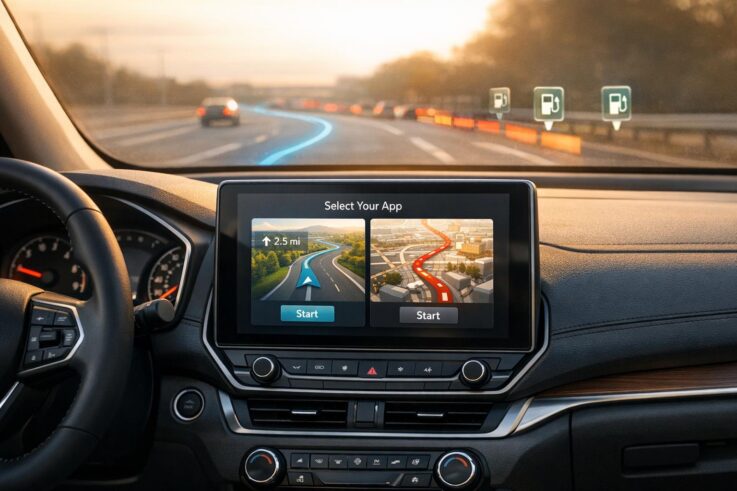
Navigation apps designed for CarPlay and Android Auto make driving easier by providing real-time traffic updates, hands-free operation, and clear directions directly on your car’s dashboard. Here’s a quick look at the top options:
Google Maps: Reliable routes, offline maps, and EV charging station integration. Works on both Android and iOS.
Waze: Community-driven alerts for traffic, hazards, and speed cameras. Great for real-time updates but lacks offline maps.
Apple Maps: Best for iOS users with privacy-focused features, live traffic updates, and EV charging support.
Sygic: Offline 3D maps, HUD projection, and EV-friendly features. Free version available; Premium+ adds advanced tools.
TomTom AmiGO: Speed camera alerts and simple design for Android Auto users.
HERE WeGo: Perfect for offline navigation in remote areas with downloadable regional maps.
For the best experience, pair these apps with a professionally installed CarPlay or Android Auto system. Expert installations ensure compatibility with your car’s controls, cameras, and audio systems, offering a safer and more streamlined driving experience.
Navigation Apps Feature Comparison: CarPlay and Android Auto Compatibility
Picking the right navigation app can make any drive smoother and more enjoyable. Whether you’re looking for real-time traffic updates or offline maps, there’s an app tailored for your needs. Here’s a breakdown of some of the top options for both CarPlay and Android Auto.
Google Maps
With over 10 billion downloads and contributions from 500 million users annually, Google Maps is a powerhouse in navigation apps. It works seamlessly with both CarPlay and Android Auto, offering automatic route adjustments in heavy traffic. For areas with poor cell coverage, you can download offline maps for uninterrupted navigation. Electric vehicle (EV) drivers will appreciate features like charging station locations and battery level estimates.
Google Maps also includes standout tools like Immersive View for detailed landmark visuals and Live View augmented reality for walking directions. Its fuel-efficient routing can help you save on gas during long trips. While PCMag rates it 4.5/5 as "Outstanding", user reviews on the Google Play Store show a 3.2/5 rating from 19.3 million reviews.
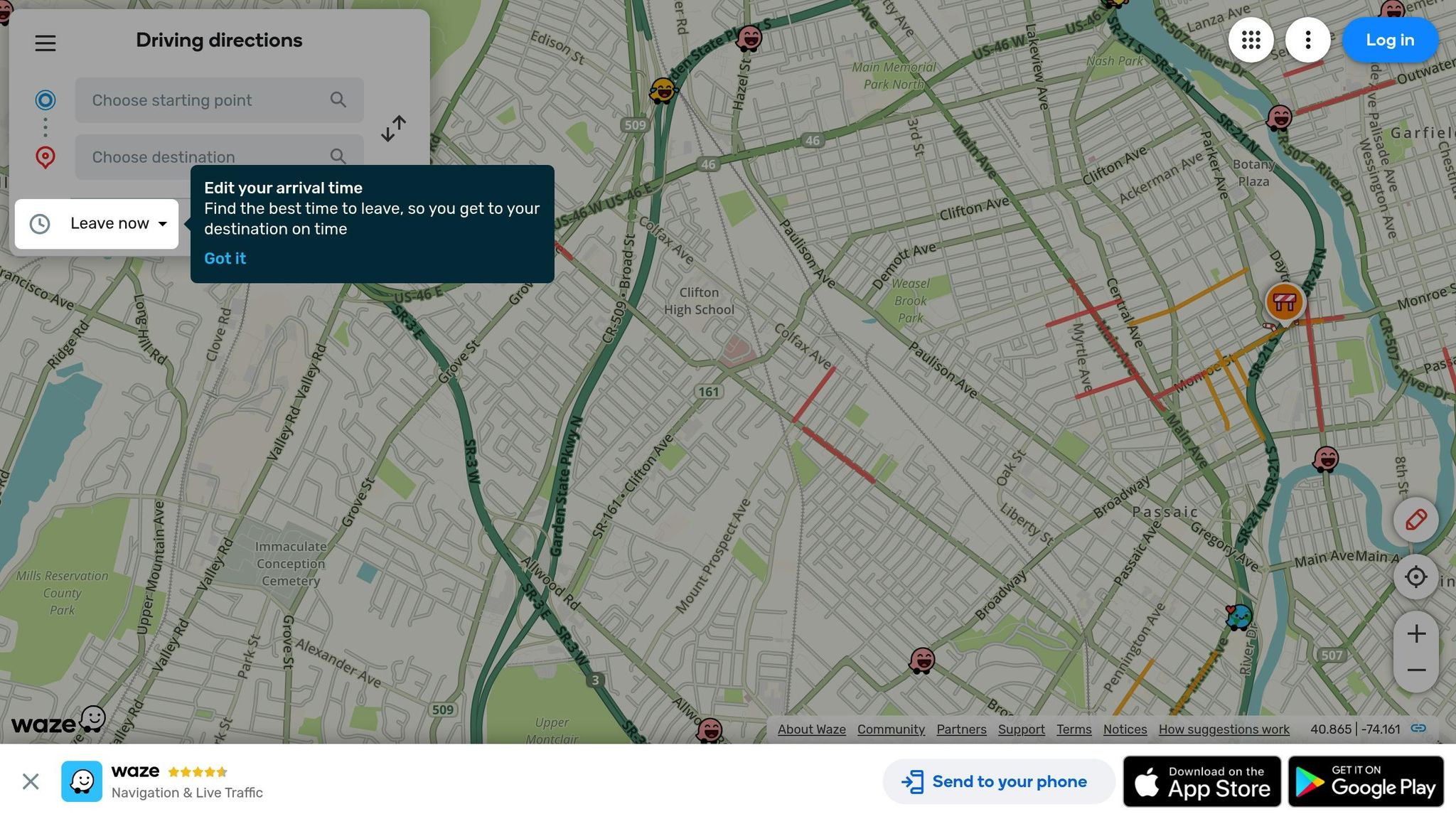
Waze thrives on community-driven updates, with millions of drivers reporting road conditions like accidents, hazards, and speed cameras in real time. It has been downloaded over 500 million times and holds a 4.1/5 rating from 8.84 million reviews on Google Play.
The app’s high-contrast interface makes it easy to use while driving, and it supports both CarPlay and Android Auto. Unique features include toll pricing, HOV lane options for carpoolers, and customizable vehicle icons. While PCMag rates Waze 3.5/5, citing its excellent real-time alerts, it does lack true offline navigation.
For iPhone users, Apple Maps is a natural fit with CarPlay. It offers turn-by-turn voice guidance, live traffic updates, and seamless integration with Apple devices. Directions automatically appear on your Apple Watch or iPhone lock screen when you’re close to your destination. The app also includes a visually stunning 3D Flyover mode for aerial views of cities and landmarks.
Apple Maps prioritizes privacy, keeping your search and navigation data stored on your device. It also supports offline maps and EV routing with charging station suggestions. PCMag rates the app 4.0/5 as "Excellent". However, it works exclusively with iOS devices, leaving Android users out.
"The privacy-focused Apple Maps is closing the navigation app gap, thanks to its easy-to-read icons, impressive 3D Flyover mode, and prominent air quality and temperature readings." – PCMag
Sygic sets itself apart with high-quality offline 3D maps provided by TomTom, eliminating reliance on mobile data. With a 4.2/5 rating from 1.9 million Google Play reviews and an "Editors’ Choice" badge, it’s a strong contender.
The app includes a Head-up Display (HUD) that projects navigation onto your windshield, reducing distractions. Its SmartCam feature (available with Premium+) combines a dashcam, traffic sign recognition, and augmented reality navigation. EV drivers can locate compatible charging stations with ease. Sygic works with both CarPlay and Android Auto and offers a free basic version, with advanced features available through a Premium+ subscription.
"Sygic GPS Navigation & Maps is an innovative GPS navigation app with monthly-updated offline maps and with precise live traffic & speed camera alerts." – Sygic
TomTom AmiGO focuses on keeping drivers informed about speed limits, speed cameras, and live traffic updates. Its specialized alerts for average speed zones and enforcement cameras are perfect for avoiding tickets, especially during highway or construction zone driving. The app features a clean interface designed for quick glances while driving and currently supports Android Auto.
If you’re headed to remote areas, HERE WeGo is an excellent choice. It allows you to download entire regional maps for free, making it perfect for exploring national parks, mountain roads, or rural highways. The app ensures uninterrupted navigation even without a signal and also provides public transit directions. It’s compatible with Android Auto, making it a versatile option for all kinds of travel.
Navigation App Comparison
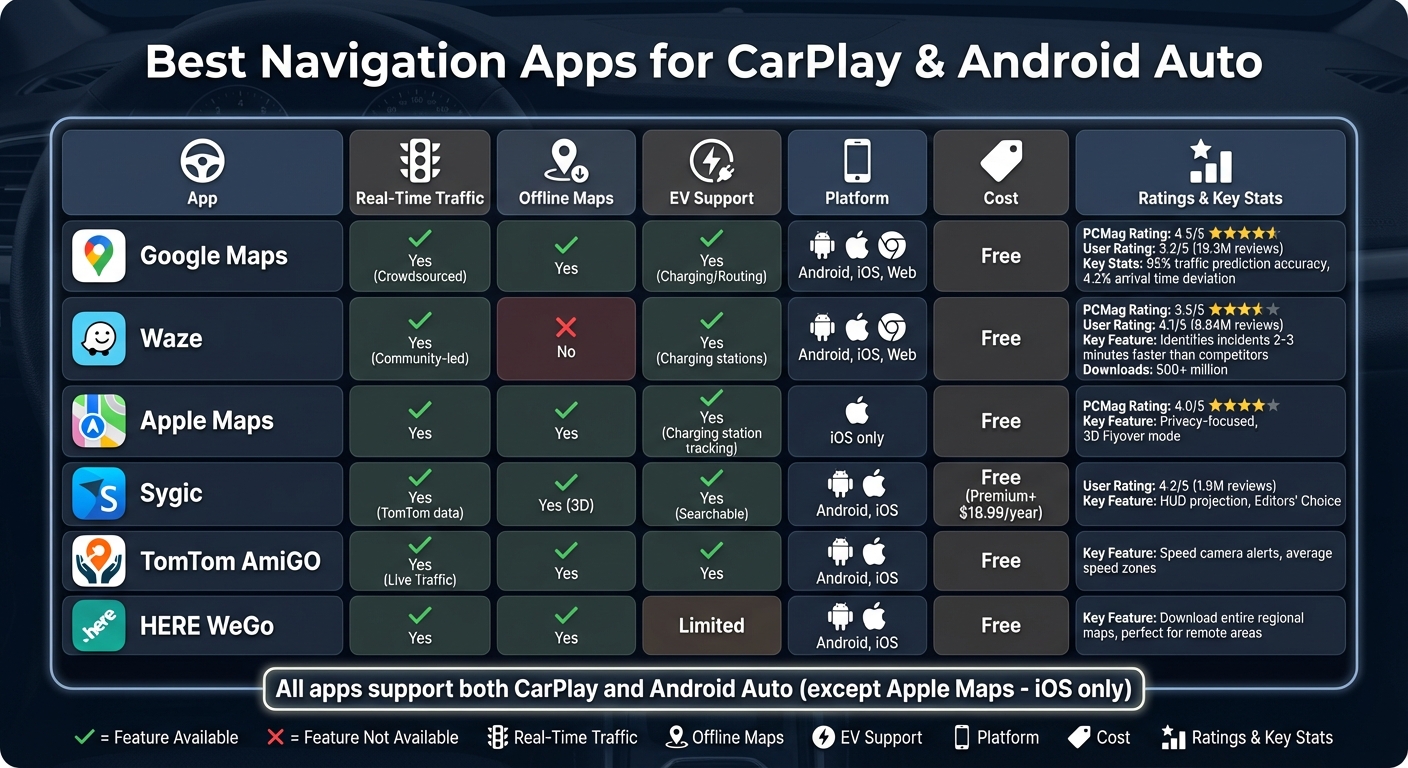
Choosing the right navigation app depends on whether you prioritize offline maps, real-time traffic updates, or EV support. The table below breaks down the key features of popular navigation apps:
App
Real-Time Traffic
Offline Maps
EV Integration
Platform Compatibility
Cost
Google Maps
Yes (Crowdsourced)
Yes
Yes (Charging/Routing)
Android, iOS, Web
Free
Waze
Yes (Community-led)
No
Yes (Charging stations)
Android, iOS, Web
Free
Apple Maps
Yes
Yes
Yes (Charging station tracking)
iOS only
Free
Sygic
Yes (TomTom data)
Yes (3D)
Yes (Searchable)
Android, iOS
Free (Premium+ $18.99/year)
TomTom AmiGO
Yes (Live Traffic)
Yes
Yes
Android, iOS
Free
HERE WeGo
Yes
Yes
Limited
Android, iOS
Free
Each app has its strengths, catering to different preferences and driving needs.
Google Maps stands out with its 95% traffic prediction accuracy and arrival times that deviate only 4.2% from actuals, earning a 4.5/5 rating from PCMag. Waze, powered by its active community, identifies traffic incidents 2–3 minutes faster than competitors but lacks offline navigation. Meanwhile, Apple Maps is a top choice for iOS users, offering seamless integration within the Apple ecosystem and receiving a 4.0/5 PCMag rating.
For offline navigation, Sygic and HERE WeGo take the lead. Sygic provides 3D maps for a more immersive experience, while HERE WeGo allows users to download entire maps, ensuring uninterrupted navigation in areas with poor cellular coverage, such as remote locations or national parks.
When it comes to EV drivers, Google Maps, Apple Maps, and Sygic excel by integrating charging station data directly into their routing features, making it easier to plan long electric vehicle trips.
This comparison should help you decide which app fits your travel habits and priorities best.
sbb-itb-74b4b25
Professional CarPlay and Android Auto Installation
Navigation apps on their own are handy, but a professionally installed CarPlay or Android Auto system takes your driving experience to the next level. Factory setups and DIY options often come with limitations, like smaller screens and reduced functionality. On the other hand, aftermarket receivers installed by experts can include high-definition touchscreens up to 10.1 inches, offering crisp visuals and smooth touch controls. These upgrades not only enhance your dashboard’s look but also unlock advanced features that improve usability.
Professional installers ensure the system integrates seamlessly with your vehicle’s existing hardware – like steering wheel controls, factory amplifiers, and backup cameras – so you get a fully functional setup. Some high-end units, such as those from Pioneer and Kenwood, even come with built-in GPS. This means you’ll still have reliable navigation even if your phone loses signal. For instance, the Kenwood DNR1007XR boasts a 10.1-inch HD display with AAS technology, providing a wider viewing angle for better visibility in the driver’s seat.
Auto Sound & Security, an authorized dealer for brands like Pioneer, Kenwood, JVC, and Alpine, specializes in these installations. Being an authorized dealer means they can offer manufacturer warranties, firmware updates, and specialized installation kits like iDatalink Maestro, which help maintain your vehicle’s original settings. They provide a range of options, from basic multimedia receivers to premium 10.1-inch floating displays.
Aside from visual improvements, professional installations also elevate your audio experience. Many receivers feature powerful MOSFET 50W x 4 amplifiers, 13-band equalizers, and digital time alignment for clearer, more balanced sound. High-voltage preamp outputs are often included, ensuring a cleaner signal for external amplifiers. For EV owners, modern Android Auto setups can display real-time battery levels and even suggest nearby charging stations along your route. With Android Auto now compatible with over 500 vehicle models, a professional installation ensures you get the most out of your system while maintaining a polished, integrated look.
Opt for Wi-Fi Certified receivers for wireless connectivity, which eliminates cable clutter and keeps your phone’s charging port free. If your vehicle doesn’t already have a backup camera, this is also a great opportunity to add one, like the Pioneer ND-BC011. A proper installation ensures your CarPlay or Android Auto system works efficiently, making every drive smoother and more enjoyable.
Conclusion
Navigation apps integrated with CarPlay and Android Auto have reshaped the driving experience by bringing real-time traffic updates, hands-free functionality, and smartphone integration straight to your dashboard. Whether you rely on Google Maps for its coverage across more than 220 countries, Waze for its live traffic and incident alerts, or Apple Maps for its privacy-focused routes, these tools help keep you connected while minimizing distractions. Features like voice commands through Siri or Google Assistant allow for hands-free calls, messaging, and route changes – critical for safety, especially when distracted driving contributes to 3,000–3,500 fatalities annually.
The quality of installation also plays a key role in enhancing your experience. Professional installation ensures seamless integration with your vehicle’s hardware. Aftermarket receivers from brands like Pioneer, Kenwood, JVC, and Alpine not only provide larger screens but also connect with steering wheel controls and factory amplifiers, creating a more cohesive system. As Kelly Funkhouser, Associate Director of Vehicle Technology at Consumer Reports, explains:
"The navigation systems in a lot of newer cars have features that aren’t available in a phone-based app or stand-alone GPS device, and often work with your car’s cameras, instrument displays, and other in-car technology to make navigation easier and less distracting".
For older vehicles, services like those offered by Auto Sound & Security can bring these advanced capabilities to life. Their team uses authorized equipment from top manufacturers to ensure compatibility with your car’s built-in microphones, enabling clear voice commands. This eliminates the need for bulky phone mounts and cables while providing free, real-time navigation – something many factory systems charge extra to update. With professional installation, you unlock the full potential of these systems, combining convenience, safety, and functionality into a streamlined driving experience.
FAQs
What is the best offline navigation app for use with CarPlay and Android Auto?
OsmAnd stands out as a reliable option for offline navigation, compatible with both CarPlay and Android Auto. It provides detailed offline maps, turn-by-turn directions, and GPS functionality, all without needing an internet connection. This makes it a practical choice for road trips or navigating through areas with limited network access.
With OsmAnd, you can download maps for specific regions, tailor routes to your preferences, and take advantage of features like speed limit alerts and lane guidance. Its offline functionality, paired with an intuitive interface, ensures smooth navigation no matter where your journey takes you.
Why should you choose professional installation for CarPlay and Android Auto systems?
Professional installation ensures your CarPlay and Android Auto systems are set up for top-notch performance, safety, and smooth integration with your vehicle. Skilled technicians handle the intricate wiring and calibration required to prevent issues like connectivity problems or unresponsive displays. They also make sure the system works seamlessly with your car’s existing features, such as audio systems, voice commands, and infotainment controls.
Another perk of professional installation is access to upgraded hardware, like custom mounts and durable, high-quality wiring, which enhance both functionality and reliability. A well-installed system provides clearer audio, responsive controls, and safer, hands-free access to navigation apps like Google Maps, Waze, and Apple Maps. This meticulous setup transforms your in-car tech into a more convenient and reliable tool, making every drive easier and more enjoyable.
What are the advantages of using navigation apps designed for electric vehicles?
Navigation apps designed specifically for electric vehicles (EVs) bring several perks that simplify driving and trip planning. A standout feature is their ability to map routes with well-placed charging stops, helping drivers manage battery levels and avoid the dreaded range anxiety. Many of these apps also offer real-time updates on charging station availability and functionality, so you can dodge crowded or out-of-service chargers and enjoy a hassle-free journey.
These apps often sync with your vehicle’s systems, providing live updates on battery status, charging station compatibility, and the most efficient routes. This integration allows you to make smarter decisions on the go, saving both time and effort. With EV adoption on the rise, these tools are quickly becoming must-haves for planning greener trips and making electric vehicle travel more convenient.
To schedule an appointment with your friendly neighborhood experts at Car Repair Services, give us a call at +1 718-470-2223 or fill out the form below with your information and requested services. One of our team members will get back to you as soon as possible to confirm your appointment.
mailing list to receive updates on new arrivals, offers and other discount information.
We use cookies to ensure that we give you the best experience on our website. If you continue to use this site we will assume that you are happy with it.Ok